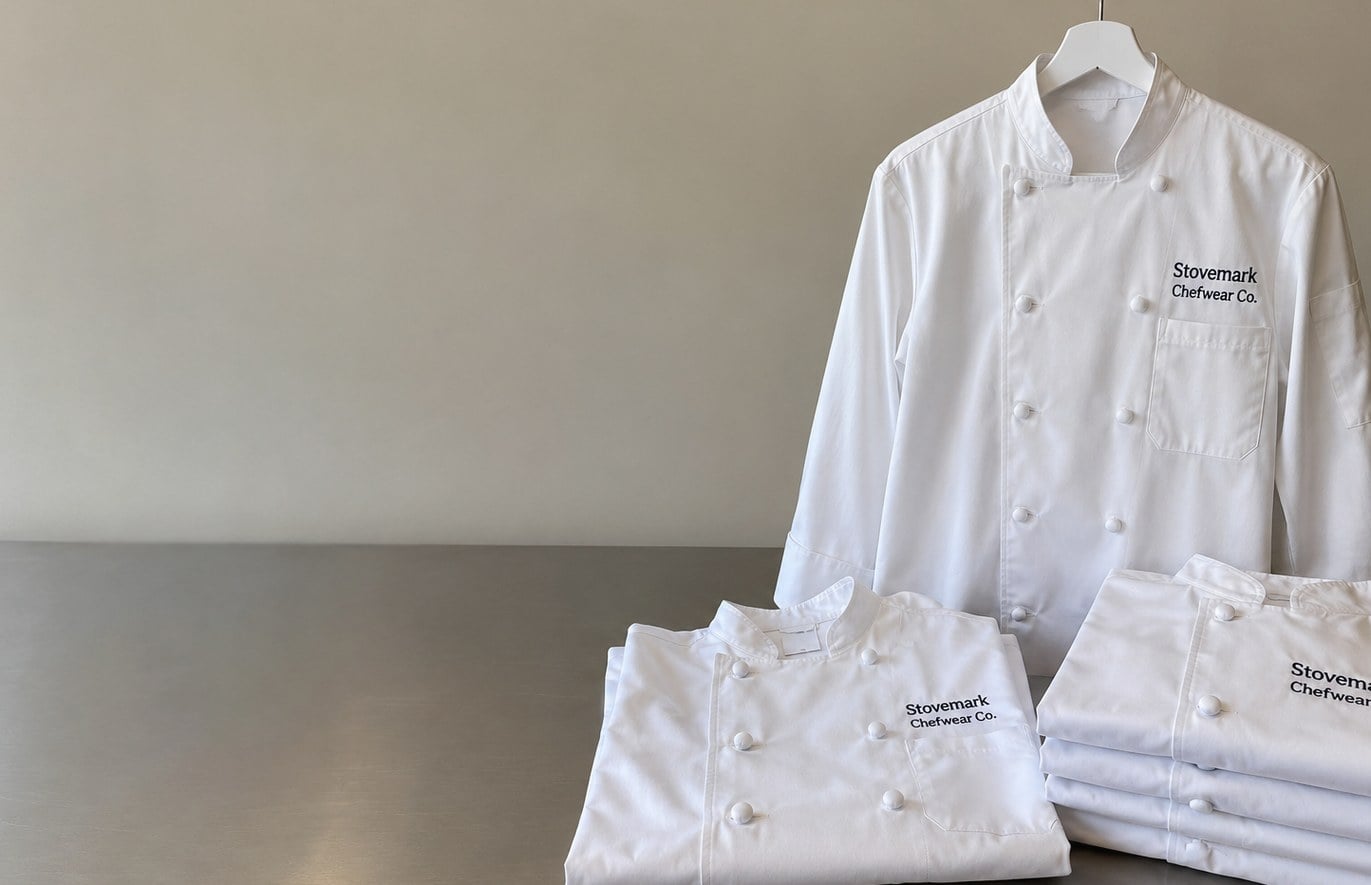
Custom chef coats look best when you start with a clean vector logo, clear brand colors and a set placement for every mark. Customized Chef Coats turns that artwork into a free mockup within 24 hours, so you can check logo, color, names and position on the actual coat before anything is stitched or printed.
- Vector logo files give the most accurate chef coat mockup
- Thread and ink colors are matched to how they read on each coat color
- Left chest logo and right chest name is the most common layout
- Free mockup within 24 hours with unlimited free revisions
- Minimum order of 12; production about 2 weeks after approval
What logo artwork do custom chef coats actually need?
Custom chef coats need one clean version of your logo, a clear note of the brand colors, and a decision on where each mark goes. Customized Chef Coats can work from almost any file you already have, but the cleaner the starting artwork, the closer the free mockup within 24 hours will be to the finished coat.
Chef coat artwork has a harder job than artwork on a menu or a website. The logo sits on a textured woven fabric, it moves as the cook moves, and it goes through hot, heavy laundering again and again. Fine lines that look crisp on a screen can close up in thread, and pale colors that read well on paper can disappear against a white coat.
Before you send anything, gather three things:
- The master logo file from whoever designed it, ideally the original vector version rather than a screenshot or a social media image.
- Brand color references, such as the color names or codes in your brand guide, so thread and ink can be matched rather than guessed.
- A placement plan covering the chest, sleeve, back, collar or pocket, plus whether names or titles change from coat to coat.
If you only have a photo of your sign or a logo pulled from your website, send it anyway. The mockup is where problems surface, and revisions are unlimited and free.
Which logo files work best for embroidered and printed chef coats?
Vector files work best for both embroidered and printed chef coats, because vector shapes scale cleanly to any placement without blurring. Common vector formats include AI, EPS, SVG and vector PDF. A large, high-resolution PNG is a workable second choice, while small JPGs and screenshots are the files most likely to need cleanup.
Embroidery is not printed straight from your file. The logo is converted into a stitch file, a map of thread directions and densities, and that conversion is far more accurate when the outlines are sharp. Printing also benefits from vector artwork, especially when a logo has thin rules, small type or a crisp edge against the coat color.
| File you have | How it works on chef coats | What to expect |
|---|---|---|
| Vector (AI, EPS, SVG, vector PDF) | Scales to chest, sleeve or back without loss | Fastest route to an accurate mockup |
| Large PNG with a transparent background | Usually fine for chest and sleeve marks | May need edges tidied for embroidery |
| Small JPG, screenshot or photo | Blurry edges and background boxes | Artwork is redrawn or cleaned before the mockup |
Send the file you have and say which version is newest. Customized Chef Coats will flag anything that needs attention before production starts.
How should brand colors be matched on white, black and pinstripe chef coats?
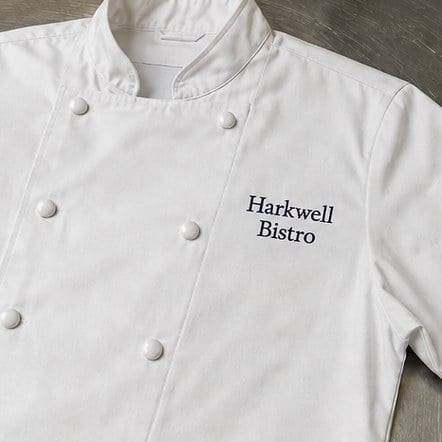
Brand colors on chef coats are matched by choosing thread or ink that reads as your color against the actual coat, not by copying a screen color exactly. On a white chef coat, deep and saturated colors hold up best. On a black chef coat, light thread and bright colors stand out, and dark navy or deep red can almost vanish.
Pinstripe chef coats need the most care. A busy stripe can swallow a thin outline, so logos on pinstripe often look sharpest with a solid shape or a simplified one-color version. The same logo may need a different treatment on each coat color in a mixed order, and that is normal.
Practical steps that keep color right:
- Share the color references from your brand guide instead of describing a color as “our green”.
- Tell the team which coat colors are in the order so every version can be shown in the mockup.
- Have a one-color version of the logo ready for small placements such as a sleeve or collar.
- Accept a white or tonal version of the logo on black coats if the full-color version loses contrast.
Thread colors come from a fixed range, so a perfect match to a screen color is not always possible. The mockup shows the closest option, and you can ask for alternatives before approving.
Where should the logo, names and titles go on a chef coat?
The most common chef coat layout puts the restaurant logo on the left chest and the cook’s name, with or without a title, on the right chest. Customized Chef Coats can also add a mark to a sleeve, a larger design across the back, or a small detail on the collar, so long as each placement suits the coat style you choose.
Double-breasted chef coats change the picture. When the front panel crosses over, the chest area that stays visible depends on which way the coat fastens, and a logo placed too close to the button line can fold under. Vented chef coats need marks kept on solid fabric rather than on mesh panels. Executive chef coats often carry a slightly more formal treatment, such as a name with a title like executive chef or sous chef underneath.
Placement checklist
- Choose one primary placement for the logo, usually the left chest.
- Decide whether names, titles or both appear, and in which font.
- Add optional secondary marks: sleeve flag, back text or collar detail.
- List every name exactly as it should be spelled.
- Check that each mark sits on fabric that stays visible when the coat is buttoned.
A named coat list in a spreadsheet, one row per cook with size and fit, prevents most errors on personalized orders.
What are the most common artwork mistakes on a first chef coat order?
The most common artwork mistakes on a first chef coat order are sending an outdated logo, asking for tiny lettering that thread cannot hold, and approving a mockup without checking every name. Each one is easy to avoid if you know to look for it before the mockup is approved.
- Old or unofficial logo files. Restaurants often have several versions in circulation. Confirm the current logo with whoever owns the brand before sending it.
- Taglines and fine print. A small tagline under a logo can turn into an unreadable line of stitches at chest size. Consider dropping it or moving it to the back.
- Hairline outlines. Very thin borders and strokes may need thickening for embroidery or printing.
- Background boxes. A logo saved on a white rectangle can print as a visible patch on a black coat.
- Misspelled names. Names typed quickly into an email are the single biggest source of reorders. Copy them from payroll or the schedule instead.
- Ignoring coat color. A logo approved on a white coat may need a different version for the black coats in the same order.
None of these mistakes costs anything to fix at the mockup stage, since you pay nothing until you approve the design. They only become a problem once a coat has been stitched.
How do you approve a chef coat mockup without missing anything?
Approve a chef coat mockup by checking it in the same order the kitchen will see the coat: logo, color, placement, then every individual name. Customized Chef Coats sends the free mockup within 24 hours and makes unlimited revisions, so take the time to review it carefully rather than approving it on a phone between services.
A simple review routine works well:
- Logo. Is it the current version, with nothing missing or distorted?
- Color. Does each thread or ink color look right on each coat color in the order?
- Size and position. Is the chest logo a sensible size, clear of the button line and pocket?
- Names and titles. Read every name against your list, letter by letter, and confirm titles and capitalization.
- Styles and fits. Do the mockups cover each coat style in the order, such as classic, vented or women’s fit?
- Second reviewer. Ask the chef or general manager to sign off too, since a fresh pair of eyes catches spelling errors.
Once the mockup is approved, production starts and standard turnaround is about 2 weeks, with faster turnaround available with express shipping. Saving the approved mockup and the final name list makes future reorders match the first batch.
Can the same artwork be reused when a kitchen reorders chef coats?
Yes. Approved chef coat artwork can be reused on later orders, which is the easiest way to keep new coats matching the ones already in the kitchen. When you reorder from Customized Chef Coats, reference your previous order so the same logo, thread colors and placement are used again.
Reorders often come with small changes: a new hire, a promotion that adds a title, or an extra coat color for a second location. Send only the changes along with the reference to the original order, and the new coats are shown in a fresh mockup before anything is made. The minimum order of 12 applies to reorders as it does to the first order, so many kitchens group new hires and replacements into one batch.
If your logo changes after a rebrand, treat it like a first order. Send the new master file, review the mockup on every coat color, and decide whether the whole team moves to the new mark at once. Keeping a single folder with your approved mockups, logo files and name list makes every future chef coat order faster and more consistent.
Frequently asked questions
Can I send a hand-drawn sketch as the starting artwork for chef coats?
A hand-drawn sketch can be the starting point for chef coats if your kitchen has no finished logo yet. Customized Chef Coats can turn a clear sketch or reference into clean artwork for the free mockup within 24 hours. Expect a few revision rounds, which are unlimited and free, until the mark looks right on the coat.
Will a detailed logo with many colors work on embroidered chef coats?
A detailed logo with many colors can work on embroidered chef coats, but very small color areas and gradients may be simplified so the stitching stays crisp. The mockup shows exactly how the colors are separated. If the detail matters, printing or a larger placement such as the back of the coat may hold it better.
Should the logo on chef coats match the logo on my menus and signage?
The logo on chef coats should match your menus and signage in shape and color so the brand looks consistent, but it does not have to be identical in every detail. A slightly simplified version often reads better on fabric. Customized Chef Coats can show both versions on the mockup so you can compare them side by side.
How small can lettering be on a chef coat before it becomes hard to read?
Lettering on a chef coat becomes hard to read when strokes get thinner than thread or ink can reproduce cleanly, which most often affects taglines and small subtitles. Rather than quoting a fixed size, Customized Chef Coats checks your lettering on the mockup and suggests enlarging, bolding or moving any text that will not hold up on fabric.
Can different cooks have different fonts for their names on chef coats?
Different fonts for each cook's name on chef coats are possible, but most kitchens choose one font for every name so the team looks unified. A single font also makes reorders easier to match. If you want a distinction, use a title line such as sous chef or pastry chef under the name instead of a new typeface.
Is there a way to see how my chef coat logo looks before choosing a coat color?
Customized Chef Coats can show your logo on several chef coat colors in the free mockup, so you can choose the coat color after seeing the artwork on each. This is especially useful when deciding between white, black and pinstripe, since contrast changes a lot between them. Ask for every color you are considering in the request.
Do chef coats need a different logo version for the sleeve than for the chest?
Chef coats often benefit from a simplified logo version on the sleeve, because sleeve marks are smaller and sit on a curved surface. An icon, monogram or one-color version usually reads better there than a full logo with text. Customized Chef Coats can place the full logo on the chest and the simpler mark on the sleeve in one mockup.
Who should sign off on chef coat artwork in a restaurant group?
Chef coat artwork in a restaurant group is best signed off by one person who owns the brand, often a marketing lead or the owner, plus the executive chef for placement and names. Naming a single approver avoids conflicting revisions. Customized Chef Coats sends the mockup to whoever you choose and waits for that approval before production.
Can I add a short motto or kitchen slogan to the back of chef coats?
A short motto or kitchen slogan can go across the back of chef coats, where there is far more room than on the chest. Back text suits printing well and can also be embroidered. Keep the wording brief and the font bold so it reads from across the pass. The mockup shows the exact size and position before you approve.
What happens if I spot an artwork error after approving my chef coat mockup?
If you spot an artwork error after approving a chef coat mockup, contact Customized Chef Coats straight away. Whether a change is still possible depends on how far production has progressed, so speed matters. The best protection is checking every name and logo detail before approval, ideally with a second person reviewing the mockup too.
Can a chef coat show both my restaurant logo and a partner or sponsor mark?
A chef coat can show your restaurant logo and a partner or sponsor mark, as long as you have permission to use the second mark. A common layout puts your logo on the left chest and the partner mark on a sleeve. Customized Chef Coats shows both placements in the mockup so neither logo crowds the other.
Do chef coat logos look different on vented coats than on classic coats?
Chef coat logos look much the same on vented coats as on classic coats, provided each mark sits on solid fabric rather than on mesh panels. The front chest of most vented coats stays solid, so standard logo placement usually works. Customized Chef Coats checks placement against the specific vented style in the mockup before production.
Get a free mockup for your chef coats
Send your logo or idea and the quantity you have in mind. Customized Chef Coats returns a free mockup within 24 hours, you approve the design before anything is produced, and standard turnaround is about two weeks with faster options available. Get a custom quote.